 by
by
How can AI help mission-led teams manage their digital content, without creating risk or slop? Unplug from the hype and start here.
If you’re reading this, you care about the direction you’re taking with AI. You, too, are probably acutely aware of how fast its use is accelerating – teams are under pressure to get ahead, without a roadmap. But when you’re in charge of comms or digital in an organisation trusted to make ethical, responsible moves, adoption without guardrails is a big gamble.
This is now a common issue among UK organisations. Data from the 2026 Charity Digital Skills Report shows almost eight in 10 charities (79%) are now using AI, but only around one in four (38%) are deploying it actively or strategically in their work.
Most people are using AI anyway – often via personal accounts – but aren’t quite sure what value they’re getting. They don’t trust outputs, privacy concerns keep surfacing, and they’re paying subscriptions for tools that aren’t delivering the promised time savings.
By the end of this article, you’ll have a clearer idea on the best use cases to confidently embed responsible AI in your content management system – saving time and resources so you can focus on making your work go further.
The trap: AI as shortcut vs AI as relief from labour
Good use of AI in content management
Tedious, high-volume, low-judgement tasks that get in the way of teams doing their best work.
Not-so-good use of AI in content management
Skipping the extra 30 seconds of actual thinking, fact-checking, or critical judgement.
The best use cases for AI
The best use cases for AI in content management save time and energy on manual labour. They give busy editors and digital leads the breathing space needed to focus on the stuff they’re best at. What they don’t do is replace thinking. The Charity Digital Skills Report’s strongest AI themes for 2026 align with what we see in practice every day:
- Efficiency and productivity remain the main use of AI
- There’s big growth in AI used for monitoring and evaluation work
Benefits include time savings, faster grant writing, more capacity for strategy and relationships, and accessibility support
Prevent AI spirals: fix your foundations first
AI can expose weak foundations: content, data, permissions, platform architecture – the stuff you want airtight before adding tech on top. When your infrastructure is wobbly, AI just jiggles it harder.
If you’re unsure where your risks stand, take our free five-minute platform diagnostic before adding any AI features.
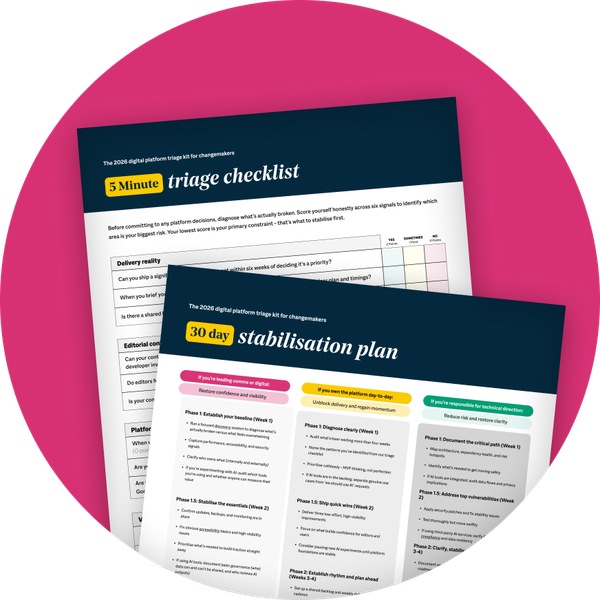
Good use of AI examples
Here are four good-use cases that align with the strongest work we’re seeing and implementing across charities, nonprofits, educational organisations, and independent think tanks.

AI to write alt text for images – accessibility at scale

The problem
Massive image libraries – those in their thousands – make manual alt tagging impossible for small teams. Accessibility suffers, and editors spend hours on repetitive work instead of strategy or storytelling.

How AI helps
Using AI to write alt text for images is a classic high-volume, low-judgement task where machine learning shines. AI can generate first-pass alt descriptions using existing metadata, captions, and context.

The human check-in
A living, breathing editor reviews and edits alt text, especially sensitive or complex images, context-dependent meanings, and consent considerations.
Risk if done badly: Generic, inaccurate, or insensitive alt text can mislead screen reader users and damage trust, especially for organisations serving disabled and marginalised communities. Responsible use means AI suggestions backed by human review, not silent automation.

AI schema generator for pages and content – visibility at scale
The problem
Schema markup is a snippet of code added to your website that acts as a translator for search engines and AI assistants. When done well, it makes your site easily readable to the likes of ChatGPT, Perplexity, and Google’s AI Overviews. But adding it to every page manually is sloooow and prone to errors. Too often, it’s overlooked completely.
How AI helps
An AI schema generator can read pages and content fields, automatically generate the code (called JSON-LD schema blocks), and keep everything aligned to prevent mismatch.
The human check-in
An editor or developer needs to look it over to ensure schema facts match visible facts, the right schema types are used, and links (canonical URLs and IDs) are consistent.
Risk if done badly: If the AI creates incorrect or inconsistent code, search engines can penalise your website or hide it from results.

AI for language translation – inclusion at scale
The problem
Mission-led organisations want to reach diverse audiences, but traditional translation services for websites come with eye-watering price tags and long turnarounds that put full-site multilingual out of reach for a lot of teams.
How AI helps
When built into your CMS natively, AI language translation can:
- Produce consistent, context-aware content across all language versions (your editors publish once, translations happen in the background)
- Scale languages at predictable rates, as you publish
The human check-in
You don’t have to include manual intervention. But if you want it, your workflow can be adapted for native speakers or specialist editors to review:
- Tone and cultural nuance
- Sensitive topics such as safeguarding, health, or legal information
- Key calls to action and donation flows
Risk if done badly: Google Translate plugins stuck onto your site are cheap and instant, but come with word-for-word swaps and no context. This can confuse, offend, or mislead readers – especially in high-stakes areas such as policymaking, financial advice, or fundraising for charities. Even as a site owner, you have no opportunity to influence Google’s plugin translations. However, when translation is built into your platform, you have full control over what goes out – correcting or overriding when necessary.

‘You may also like’ recommendations – cross-linking at scale
The problem
Strong internal linking improves SEO, engagement, and user journeys. And while editors know their content well, manually finding and inserting related links across hundreds of articles drains time they could be spending on high-value work.
How AI helps
An AI tool can scan content for semantic and topical connections, suggest ’you may also like’ blocks and in-text related links, and surface underused content that deserves more traffic or well-performing content that can be boosted for quick gains.
The human check-in
Editors should review suggestions to ensure they’re relevant and accurate; not stuffed in, misleading, or outdated; and aligned with organisational priorities and real user needs.
Risk if done badly: You likely know yourself: seeing irrelevant or spammy-looking links can dilute your trust. But when done thoughtfully and strategically, AI-assisted cross-linking is a low-risk, high-value way to make your content work harder.

Remove the friction, not the thinking
If you’re still wondering where to use AI, start with the time-draining tasks that get in the way of your best work. At Cursive, we help mission-led organisations embed responsible AI in their web platforms, and stick by their side for the long run. That means:
- Infrastructure first. Content models, data, permissions, and architecture that can support AI securely.
- Specific use cases with measurable value. Alt text, schema, translation, cross-linking – tasks where AI clearly reduces labour without increasing risk.
- Custom workflows. Combining AI suggestions with human review.
- Skills and support. Secure software, tools, and training that match the reality of how teams genuinely work.